
Quick answer: If you install Christmas lights and you've ignored LinkedIn, you're leaving five-figure commercial contracts on the table. LinkedIn is where property managers, HOA boards, hotel general managers, and facilities directors actually live — and 80% of B2B social media leads come from LinkedIn.
I'm Jason Geiman. I built a Christmas light install business from $2,000 to $1M+ with four crews, sold it in 2018, and now run Christmas Lights HQ (wholesale gear for installers) and ChristmasLights.io (training and community, 43,000+ contractors strong). Most of what I learned about commercial work came down to one thing: showing up where the buyers live, before they need you.
For commercial work, that's LinkedIn. Here's exactly how to use it.
Why LinkedIn is the move for commercial Christmas light work
Residential customers Google "Christmas light installation near me" in October. They're high-volume and price-sensitive. Most of you already know how to win that fight (or you wouldn't still be reading).
Commercial customers don't search Google. They ask their property management software vendor for a vendor list. They post in their HOA management association group. They ask the GM at the hotel across town who they used last year. And before they hand you a $25,000 PO, they Google you AND look you up on LinkedIn to make sure you're a real business.
Here's the budget difference that should make you sit up:
| Project type | Typical budget | Decision maker | Sales cycle |
|---|---|---|---|
| Residential install | $1,500–$5,000 | Homeowner | 1–7 days |
| Shopping plaza | $8,000–$25,000 | Property manager | 2–6 weeks |
| Hotel exterior + lobby | $5,000–$50,000 | GM or facilities director | 4–8 weeks |
| HOA common areas | $10,000–$60,000 | HOA board or PM company | 6–12 weeks |
| Office park / corporate campus | $15,000–$100,000+ | Facilities director | 6–16 weeks |
One landed hotel client equals 10–25 residential installs. And once you land one, that property manager often manages 5–20 properties.
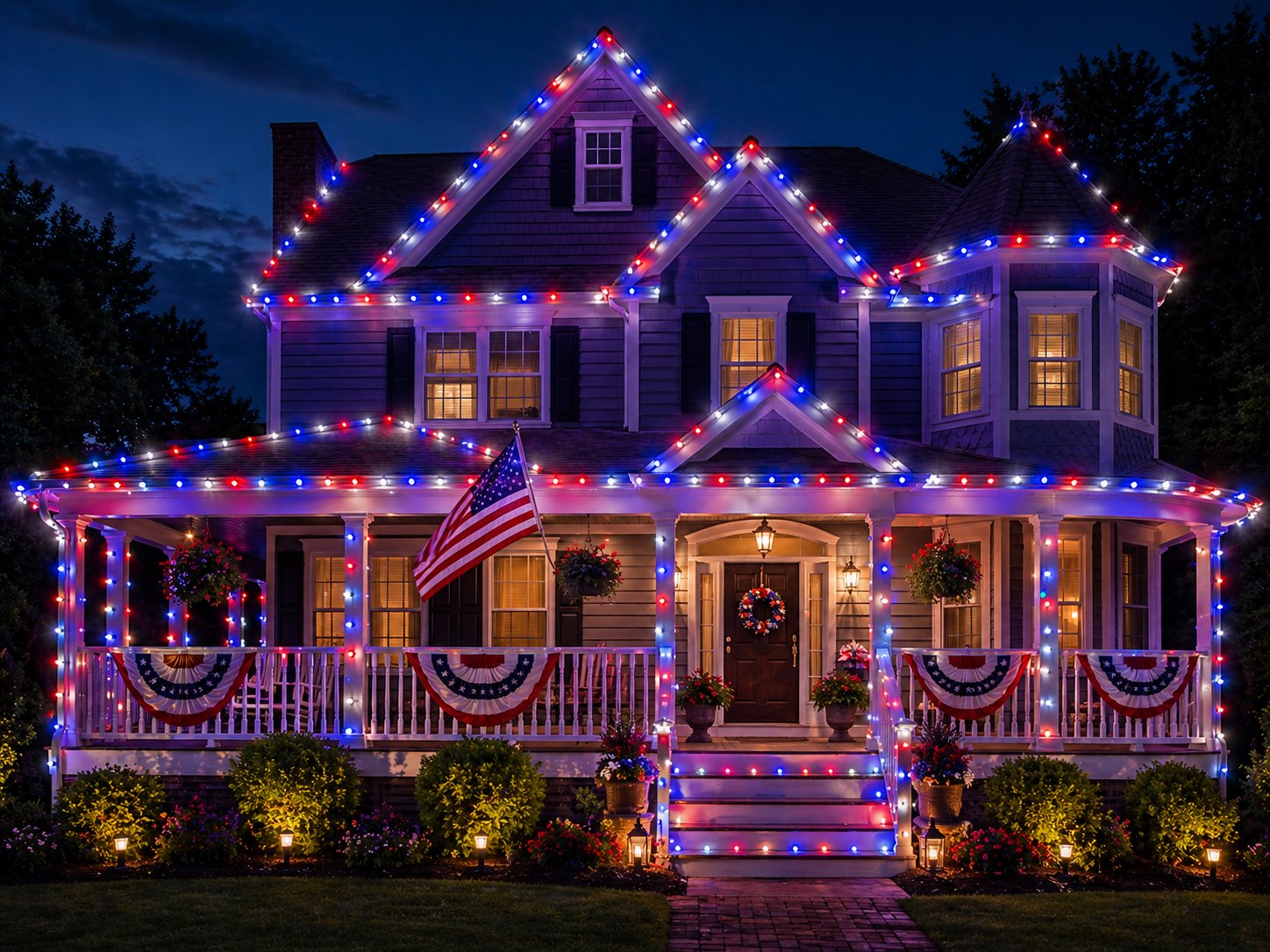
LinkedIn is the only platform where you can find those people, see who else is in their orbit (other property managers, facilities directors at peer hotels), and earn trust before you ever pick up the phone.
Setting up your LinkedIn Company Page
You need a Company Page, not just a personal profile. Both matter — but commercial buyers expect a real business with a real page. Five-figure contracts don't get signed with a Facebook profile.
What you need before you start
- Logo (square PNG, 300×300 minimum, transparent background ideal)
- Banner image (1128×191 pixels — landscape, can include text)
- Business phone, year founded, email, physical address
- About description — 2–3 paragraphs about what you actually do
- 10–20 specialties — these are pure keywords (more below)
- Website URL with a clean homepage
Creating the page
- Sign in to LinkedIn with your personal profile (you need a personal account to create a Company Page).
- Top right of any LinkedIn page, click the apps grid icon ("For Business"), then Create a Company Page.
- Pick Small business.
- Fill in: Name, public URL slug (use your business name, no spaces — e.g.
christmas-lights-hq), website, industry (for installers, use "Construction" or "Building Materials"; for wholesale, "Wholesale Building Materials"), size (most are 2–10 employees), type (Privately Held). - Upload your logo. Add a tagline — direct, not corporate. "Commercial Christmas light installation, built by a contractor who scaled to $1M+" beats "Premium holiday lighting solutions" every time.
- Verify you're authorized to create the page, then publish.
The Details tab — where most contractors stop too early
Here's where 90% of contractors leave money on the table.
After the page is live, click Edit Page → Details. The fields in here aren't decoration — LinkedIn uses them as search keywords. When a property manager in Dallas types "commercial Christmas light installation" into LinkedIn's search bar, the algorithm scans your Details tab to decide whether to show your page.
LinkedIn's own SEO guidance for Pages and W3era's 2026 SEO guide both confirm: the Specialties field is the single most important keyword surface on the page.
Don't pick three specialties. Pick 15–20. Mix exact-match terms (what customers type) with adjacent terms (what they might also type):
For a commercial-focused installer:
- Commercial Christmas Lights
- Hotel Holiday Lighting
- HOA Christmas Lights
- Property Management Christmas Lighting
- Office Building Holiday Decor
- Shopping Center Lighting
- Residential Christmas Lights
- C9 LED Christmas Lights
- C7 LED Christmas Lights
- Permanent LED Lighting
- Holiday Lighting Installation
- Christmas Light Takedown Service
- Roofline Lighting Installation
- Commercial Outdoor Lighting
- Pre-Installed Light Kits
- Christmas Light Design
- Christmas Light Maintenance
- Outdoor Holiday Decor
- Wreath Installation
- Garland Installation
That single change can lift your Page's appearance in LinkedIn search by an order of magnitude.
Don't skip these fields either
- Phone — yes, even though it feels redundant. Some commercial buyers will literally call from the LinkedIn page.
- Year founded — longer history = more trust signal for commercial buyers.
- Address with city + state — geographic search filters depend on this.
- Website URL — must be live, fast, and have your real business name on it. Property managers click this.
The About section formula
This is your prime SEO real estate on LinkedIn. It needs to do three jobs in 2–3 paragraphs:
- Tell them what you do and who you serve (with keywords baked in)
- Show credibility (real numbers — years, projects, founder story)
- Tell them how to take the next step
A formula that works for Christmas light installers:
Paragraph 1 (what + who): [Company] installs commercial-grade Christmas lights for [target customers — hotels, HOAs, property managers, retail centers] in [region]. We handle design, install, maintenance, and takedown so your property looks dialed in from Thanksgiving through New Year's — with zero hassle on your team.
Paragraph 2 (credibility / story): Founded in [year] by [founder name], a [retired firefighter / former general contractor / etc.] who scaled a previous install business from [start] to [milestone]. We've completed [X] commercial installs across [Y] properties. We use only commercial-grade gear — C9 LEDs, SPT-1 wire, professional-spec clips — none of the big-box stuff that fails by December 15.
Paragraph 3 (CTA): Have a property that needs a holiday lighting program? Get a free site walk and quote at [website] or message us directly here on LinkedIn.
Two rules:
- Keep keywords natural. "Commercial Christmas lights" should appear 2–3 times naturally. Stuffing it 8 times gets your page deprioritized.
- Numbers beat adjectives. "$1M+ scaled" beats "industry-leading." "47 properties last season" beats "trusted by many clients."
The 2026 LinkedIn algorithm reality: comments are worth more than posts
This is the part most contractors get wrong, so pay attention.
The conventional wisdom is "post 2–3 times a week and you'll grow." That's outdated. In 2026, LinkedIn's algorithm rewards two things above all else:
- Dwell time — how long people actually spend on your content
- Comment threads — back-and-forth conversations under posts
Here's the data:
- Comments carry roughly 15× more weight than likes in the algorithm
- Posts with 61+ seconds of dwell time get 13× more engagement than posts with under 3 seconds
- Multi-reply comment threads carry "disproportionate weight" — meaning a comment with 3 replies under it is worth way more than 30 separate one-line comments
- Strategic commenting on bigger accounts can drive 50–100 profile visits per day, no posting required
Justin Welsh (built a $1.7M solo business mostly via LinkedIn) recommends commenting 5–10 thoughtful comments per day on posts in your niche. He spends 45 minutes every morning replying to ~75% of comments on his own content.
What this means for you, the contractor
Commenting is worth more than posting for a service business looking for commercial clients.
Here's why it works:
- When you comment intelligently on a post by a property manager or HOA executive, your name (and your business page) shows up to their audience — without them needing to follow you first
- A top comment on a popular post can earn 100,000+ impressions on its own
- It builds relationships with the decision-makers before you ever pitch them
- It's faster than posting — a 30-second comment with 2 sentences of real insight beats a 3-paragraph post no one reads
Your daily LinkedIn workflow (15–20 minutes)
This is what actually works in 2026:
Monday–Friday, before the coffee kicks in:
- 5 minutes: Open LinkedIn. Reply to every comment on your own posts from the last 24 hours. Real replies — not "thanks!" Ask a follow-up question that keeps the thread going.
- 10 minutes: Find 5–8 posts from people you want to do business with — property managers, HOA management companies, commercial real estate firms, hotel GMs in your area. Drop a substantive comment that adds something. "Great post" doesn't count. Add a number, a personal experience, or a question that opens a conversation.
- 5 minutes (3× per week): Post one piece of original content. Photo of yesterday's install. Short story about a problem you solved. Tip that took you a year to learn. Don't write a novel — 4–8 sentences with one image works better than 500 words.
That's it. 15–20 minutes a day, 5 days a week. After 90 days you'll have commented on 200+ posts in your niche and posted 36 times. That's how you build a commercial pipeline on LinkedIn — quietly, daily, in the background while your crews work.
How to find the right decision-makers
LinkedIn's search filters are your friend. The exact people to target for commercial Christmas light contracts:
Job title searches:
- "Property Manager"
- "Commercial Property Manager"
- "Facilities Director" / "Facilities Manager"
- "General Manager" (filter by Hotels industry)
- "HOA Board Member"
- "Community Association Manager"
- "Marketing Manager" (for shopping centers and malls — they often own holiday programs)
- "Operations Manager" (for hotel chains and large property portfolios)
Filters to layer on:
- Location: Set to within 25–50 miles of your service area
- Industry: Real Estate, Hospitality, Retail
- Current Company: Filter to specific property management firms in your area
- Connections: Start with 2nd-degree connections — they're warmer than cold
Pro move: Once you find one good target, click their "People also viewed" sidebar. LinkedIn shows you peers in the same role at adjacent companies. That's your commercial prospect list, free.
Outreach message template (use sparingly)
Don't spam. LinkedIn's 2026 algorithm now actively penalizes mass DM outreach and can shadowban accounts. Bulk-automated outreach is a liability now.
Connect first with a personalized note (4–6 sentences max). After they accept, wait at least 3–7 days, then send a soft, no-pitch message:
Hey [Name] — appreciate the connect. Quick note: I help [property managers / GMs / HOA boards] handle their holiday lighting programs — installation, maintenance, takedown, the whole package. Most of my clients are [examples — hotels, retail centers, HOAs in your area]. We're booking the 2026 season now, so I wanted to introduce myself in case your property ever needs a vendor on the list. No pitch — happy to send our portfolio if it's useful, or just stay in touch. — [Your name]
That's it. Don't ask for a meeting in message #1. Don't send a calendar link. Build the relationship over 3–6 months. Your conversion rate will be 5–10× higher than someone hammering inboxes.
What to post (when you do post)
Three post types convert for service businesses on LinkedIn:
- Job photos with context. A before/after of a property you just lit, with 2 sentences about a problem you solved.
- Behind-the-scenes / process posts. Short video of your crew installing roofline clips. A photo of how you organize the truck. The math you use to estimate a job.
- Industry insights / opinions. "Here's what I tell every property manager about LED color temperature." "The biggest reason commercial installs fail by December 15." "What 'commercial grade' actually means."
Avoid:
- Generic motivational quotes
- Stock photos
- "Hire us!" posts (they don't work — LinkedIn deprioritizes them)
- Long-form pitches
Common mistakes to skip
- Setting up the page once and forgetting it. A LinkedIn page with no posts in 6 months hurts more than no page at all.
- Hiding behind the company page only. Your personal LinkedIn profile matters as much as the company page — sometimes more.
- Connecting and immediately pitching. Fastest way to get reported. Connect, then wait. Build trust.
- Skipping the Details tab. Specialties = keywords = search visibility. Don't skip.
- Ignoring comments on your own posts. Every reply you get is a chance to start a relationship.
- Treating LinkedIn like Facebook. Different audience, different rules.
The 30-day plan
If you've never touched LinkedIn for business and want a fast start:
Week 1: Setup
- Create / clean up Company Page (60 minutes)
- Polish your personal profile (the founder's profile matters as much as the company's) (30 minutes)
- Build a list of 50 commercial prospects in your service area (60 minutes)
Week 2: Engage
- Comment on 5 posts per day from your prospect list — substantive comments, not "great post"
- Connect with 10 prospects per day using personalized notes
- Post 2 install photos with short story captions
Week 3: Convert
- Send the soft intro message to anyone who connected back in week 2
- Reply to every comment on your posts within 24 hours
- Post 2 more pieces of original content
Week 4: Repeat + measure
- Track profile visits (LinkedIn shows you this)
- Track connection requests from prospects (people coming to you)
- Track inbound DMs (the real metric — these become quote requests)
By day 30 you should have: a fully optimized page, 50+ new commercial prospect connections, and 1–3 inbound conversations. By day 90 you'll have 2–5 commercial quote requests in your pipeline.
The gear we use to keep commercial installs from failing

Here's a hard truth: most commercial Christmas light installs fail by mid-December because the gear isn't commercial-grade. Cheap C9s start dropping bulbs after 3 weeks of cold. Big-box SPT-1 wire cracks in freeze-thaw cycles. The clips you got at the orange-box store don't grip 30-year asphalt shingle.
We built Christmas Lights HQ specifically for commercial-volume installers who can't afford callbacks. Tuff Bulbs C9 LEDs with a 7-year warranty. SPT-1 socket wire that handles real winters. Gilbert plugs, professional-spec shingle tab clips, ready-to-go Pro Light Kits that ship same-day before 2 PM ET. Free shipping on orders over $349.
Have a question about a commercial install, your LinkedIn setup, or anything else — find me at Christmas Lights HQ on LinkedIn or message me directly. Let's build.
— Jason